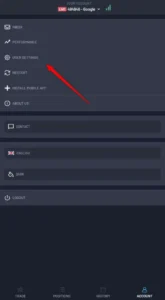
- Open the Xellion Trader application and click on Account tab.

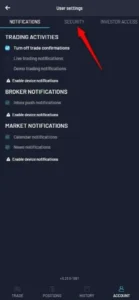
- Click on user settings.
- Click on security tab.

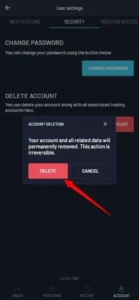
- Click on Delete Account.
- After that step, an account is permanently
removed.

Upon a user’s request for data deletion, all of their associated
information is thoroughly removed from our systems, with
the exception of their Email, Name, and Surname. These
particular details are retained in our database informing only
when the user requested deletion of their account for the
duration of the app’s current existence, ensuring continuity
and compliance with our data retention policies. This data
can be removed on demand.